
CONNECTABLE NAVIGATION PACK
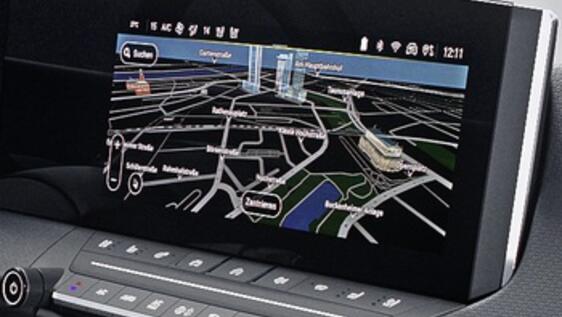

CONNECTABLE NAVIGATION PACK
Enjoy a peaceful drive, as you navigate around congestion and traffic problems, with Opel Connectable Navigation Pack. Our fully integrated navigation system helps you stay informed, providing real-time information from the leading European GPS provider, TomTom.
Opel Connectable Navigation Pack can be operated using voice recognition, meaning your eyes need never leave the road.
Using the MyOpel app you can easily choose your next destination and send it to your Opel Navigation system thanks to the new Send2Nav feature.
Please sign in or create an account to subscribe to this service
If you already use Opel Customer applications (MyOpel App for example), you can sign in with your existing login & password
Sign in Create an account
No need to mess around with your smartphone any more - your eyes can stay fixed on the road and your hands on the steering wheel, as you use Opel Connectable Navigation Pack with voice recognition.
With the on-board Opel Connectable Navigation Pack, your car finds the best route in real time, based on reliable traffic news. Offering peace of mind, Opel Connectable Navigation Pack will also offer audible and visual alerts of traffic cameras and accident hotspots along your journey with the SpeedCam feature.
No superfluous information, just the best GPS solution, using the recognised expertise of TomTom and its large community of users.
Using the MyOPEL app you can easily choose your next destination and send it to your vehicle enabelling you to start your journey instantly.

Complete peace of mind
Enjoy the time spent in your car to the full !
With Connectable Navigation Pack you can avoid traffic jams, find the address you’re looking for or the closest petrol station thanks to real time updates provided by the millions of TomTom users.
A dedicated assistant at your service
When following an itinerary, it is annoying to be pestered when you didn't ask to be. The Opel Connectable Navigation Pack uses the collaborative power of TomTom for the best interests of each of its users. Your data will never be used for commercial purposes. No inconvenient adverts, no pop-ups, no requests to talk to a unknown co-user. Just the best GPS solutions in real time brought together on one screen.
Permanently connectable
TomTom services
Real time traffic news
Parking prices and availability
Weather forecast on your journey
Voice control supported
Fuel prices at petrol stations
Quick search for addresses and points of interest
Danger zone warnings
Integrated within MyOpel app
Charging station locations and availability

HOW TO ACTIVATE & USE THIS SERVICE
The connectable navigation services are available for your vehicle. Just remember that to enjoy them directly on the vehicle’ screen you need to pair your phone to share its data connection.
First, create or log in to your Opel account, add your vehicle and select “Connectable Navigation Pack” to subscribe and checkout.
Once you have subscribed, you need to configure the settings in your smartphone and your car to activate the services.
Configuration for the date sharing via smartphone:
- Go onboard your vehicle, open your smartphone's settings and turn on the personal hotspot/mobile access. Just follow these steps to complete the whole procedure (may vary according to devices): Connection sharing > Wi-Fi Hotspot > Mobile access point. Then search for your device via the car screen (icon “notifications” => WiFi => refresh with the arrow”) and enter the code to pair the smartphone: your smartphone shares its data connection with your vehicle. Once the in car configuration is done, you will be able to fully enjoy the connectable navigation services.
- Don’t worry, the complete connection procedure is necessary only at the beginning! For the daily usage of the navigation services just switch on your mobile’s personal hotspot/access when you get into your car.
- In case your vehicle is not eligible to Wifi hotspot sharing, you can use the Bluetooth modem connection to do the same and share the data.
Configuration of the car:
- Make sure you have enabled the data and location sharing in your privacy settings. These settings can be found either via the “Notification” icon (then tapping on Private Mode), or in the navigation settings (via “Menu”), according to your vehicles’ infotainment system.
- Click on the “Notification” icon. Press ‘Connection Service’ to see subscription status: if status is not ‘Activated’ press the globe icon below to refresh. You may need to repeat this operation.
- Connectable Services should indicate “Available”. If this is not the case, you may be in a zone with no network coverage: if so, please move your vehicle. The services can take a few days to become active.